Free & Open Source · npm package
Give your AI a memory.
One script. A handful of markdown files. Your AI stops forgetting what you talked about yesterday. Works with Claude, ChatGPT, Gemini, Cursor, and Antigravity.
Before and after.
The difference between raw AI and AI with memory.
Session 12 — Without Engram
Session 12 — With Engram
Context engineering, not brute force.
The AI reads two small files at session start — not 50 pages of logs. A layered retrieval model that scales to hundreds of sessions without hitting context limits.
Session cold-start: ~1–3K tokens. At 50 sessions, a raw log would be 80,000–200,000.
No database. No API. No plugins. Just markdown and a protocol.
What Engram does.
Layered Memory
Boots in ~1–3K tokens. Scales to 200+ sessions without hitting context limits. The AI reads a summary, not the full history.
MCP Server + CLI
11 MCP tools, 4 resources, 9 CLI commands. Auto-configures for Claude Desktop, Cursor, and Antigravity with a single flag.
5 Project Templates
default, research, software, writing, startup — domain-specific workstreams and file structure out of the box.
Live Dashboard
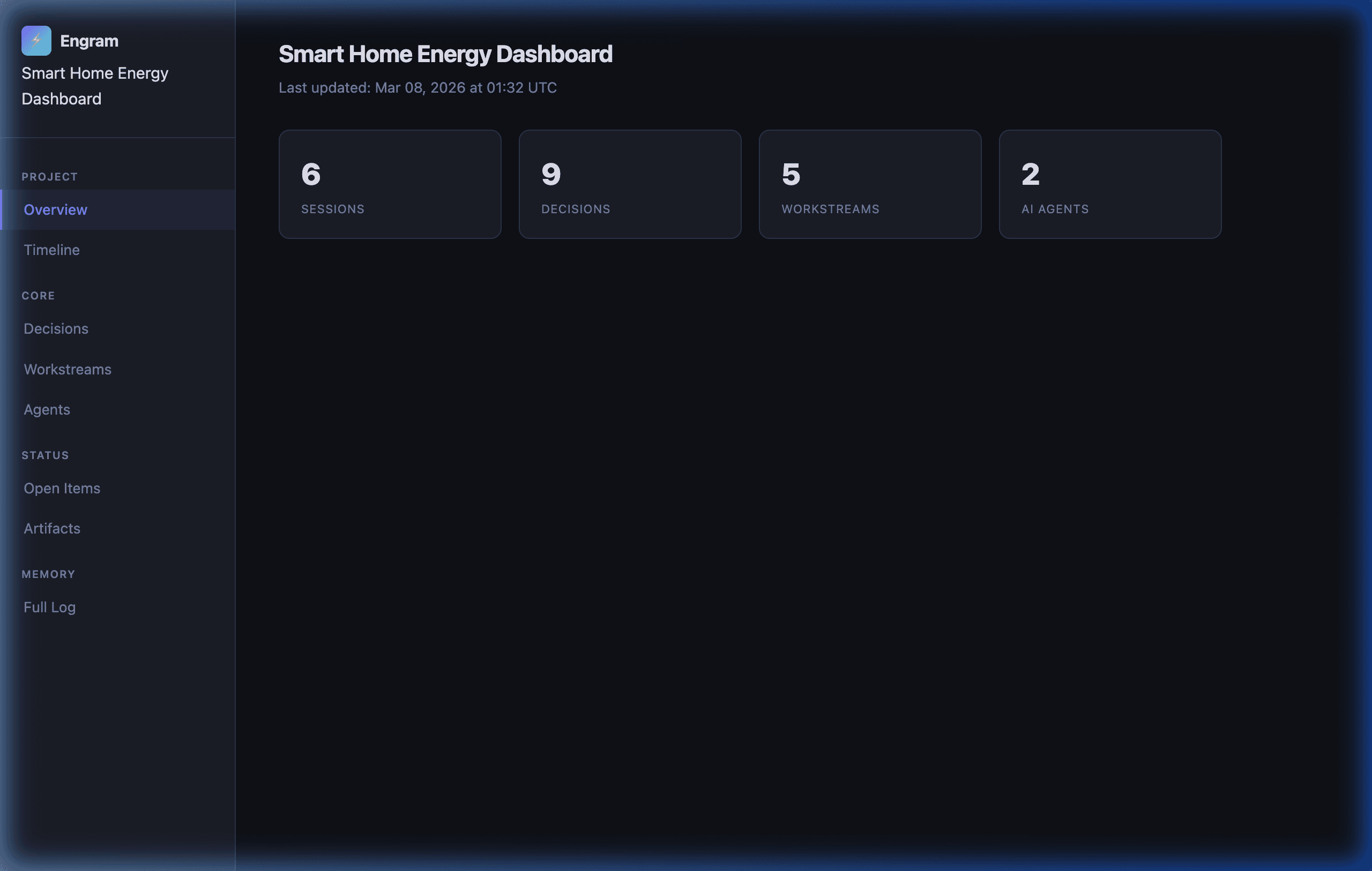
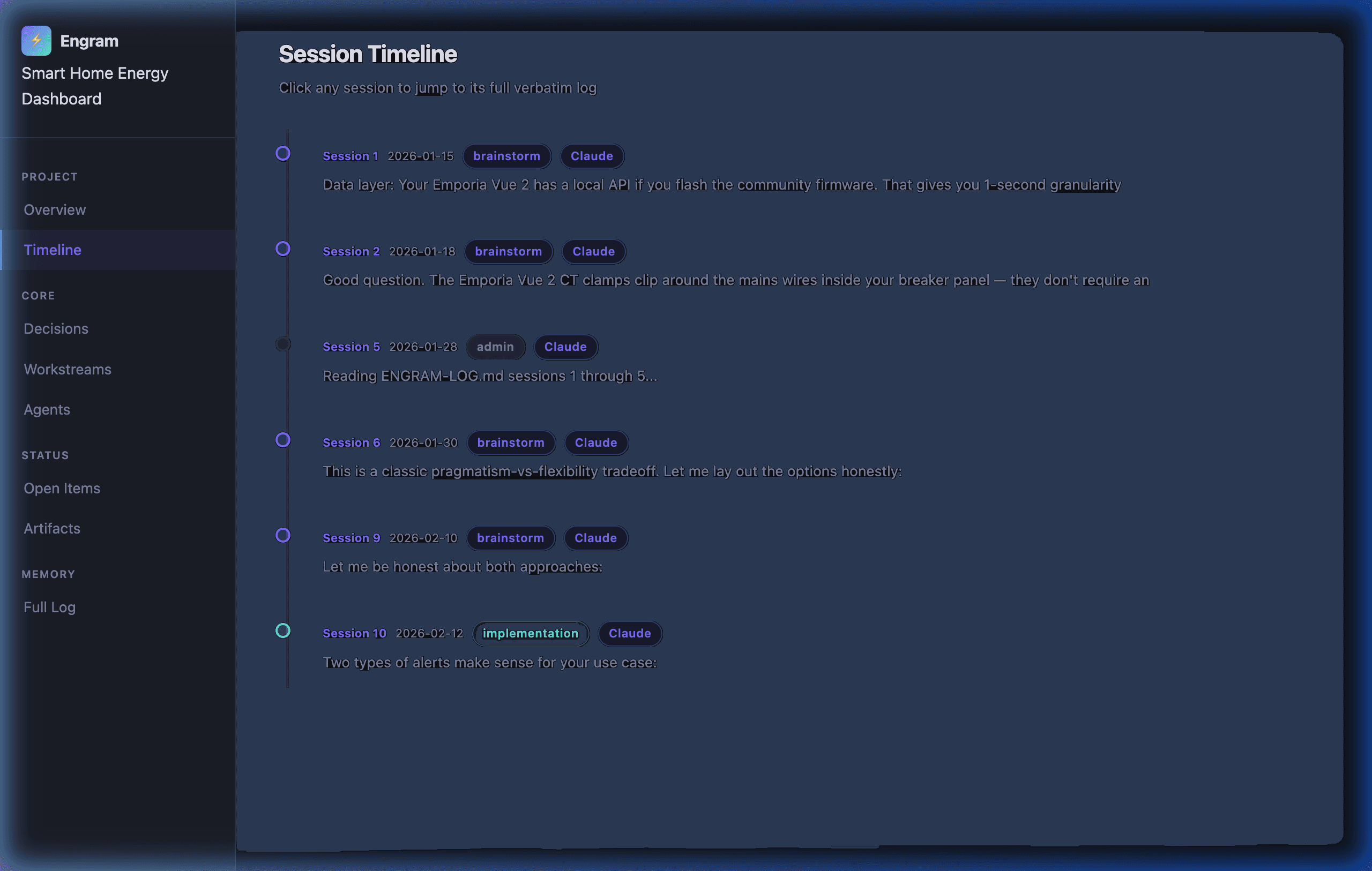
Session timeline, decision log, workstream tracker, agent activity. Run engram-watch.sh --daemon and the dashboard auto-refreshes.
MCP Server + CLI
The npm package includes a Model Context Protocol server that gives AI tools direct read/write access to your engram files — plus a full CLI for manual operations.
MCP Tools (11)
engram_status · engram_log_exchange · engram_checkpoint · engram_search · engram_decisions · engram_reconcile · engram_handoff · engram_rotate · engram_update_state · engram_update_summary · engram_add_decision
MCP Resources (4)
engram://state · engram://summary · engram://decisions · engram://agents
CLI Commands (9)
engram setup · engram serve · engram status · engram checkpoint · engram search · engram decisions · engram reconcile · engram handoff · engram rotate
Auto-configures for your AI client
npx engram-protocol setup --all        # Claude Desktop + Cursor + Antigravity
npx engram-protocol setup --claude-desktop
npx engram-protocol setup --antigravity
See your project's memory.
Run ./update-visualizer.sh once — or ./engram-watch.sh --daemon to keep it live. Open VISUALIZER.html in any browser. No server. No internet required.
One command. Three minutes.
Install. Run. Your AI has a memory.
# Setup with npx (recommended)
npx engram-protocol setup --name "My Project"
With options:
npx engram-protocol setup --name "My Research" --author "Jane" --template research --all
Alternative: Shell wrapper (interactive prompts, backup/restore, --uninstall)
curl -O https://raw.githubusercontent.com/ecomxco/engram/main/init-engram.sh && chmod +x init-engram.sh && ./init-engram.sh
Open the folder in Claude Code, Cursor, or Antigravity — engram activates automatically via .mcp.json. No config editing.
One command. Your AI never forgets again.
Free forever. MIT licensed. No email. No account. npm install or curl — your choice.
Built for operators.
npm package · MCP server · 9 CLI commands · 5 templates · Any AI platform · MIT License